Help centre › Getting started
Getting started with THNGS
What THNGS does and how to save your first THNG.
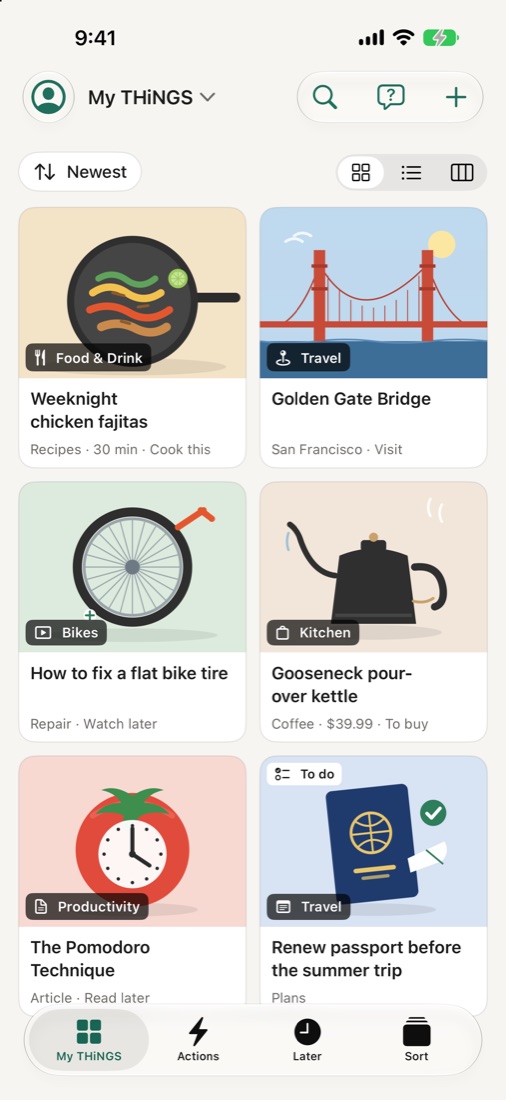
THNGS is one place for everything you save: links, videos, recipes, products, places, screenshots and notes. Share something to THNGS and it reads it, gives it a title, a summary and a category, and keeps it ready for when you need it.
Save your first THNG
- Open any app: Safari, YouTube, Instagram, Photos.
- Tap Share, then THNGS.
- On the card that opens, pick Store and a why (for example Cook this or To buy), or just let it close. It's saved either way.
- Open THNGS: it's in My THiNGS, sorted a few seconds later.
You can also tap + in My THiNGS to paste a link, write a note or add a photo.
New installs start with a few example THiNGS so you can look around. Tap Clear demo content in My THiNGS when you're ready.